ChatGPT History Import to Memory Wiki: Turn Old Chats Into OpenClaw Agent Memory
· ClawBud editorial team
Most people have useful work trapped inside ChatGPT.
Research threads. Product notes. Support drafts. Half-finished plans. Prompts that worked once and were never saved anywhere sane. If you have used ChatGPT for months, maybe years, your history is more than a chat archive. It is a messy record of how you think, what your business has tried, and which answers were good enough to reuse.
ClawBud's ChatGPT history import exists for that exact mess.
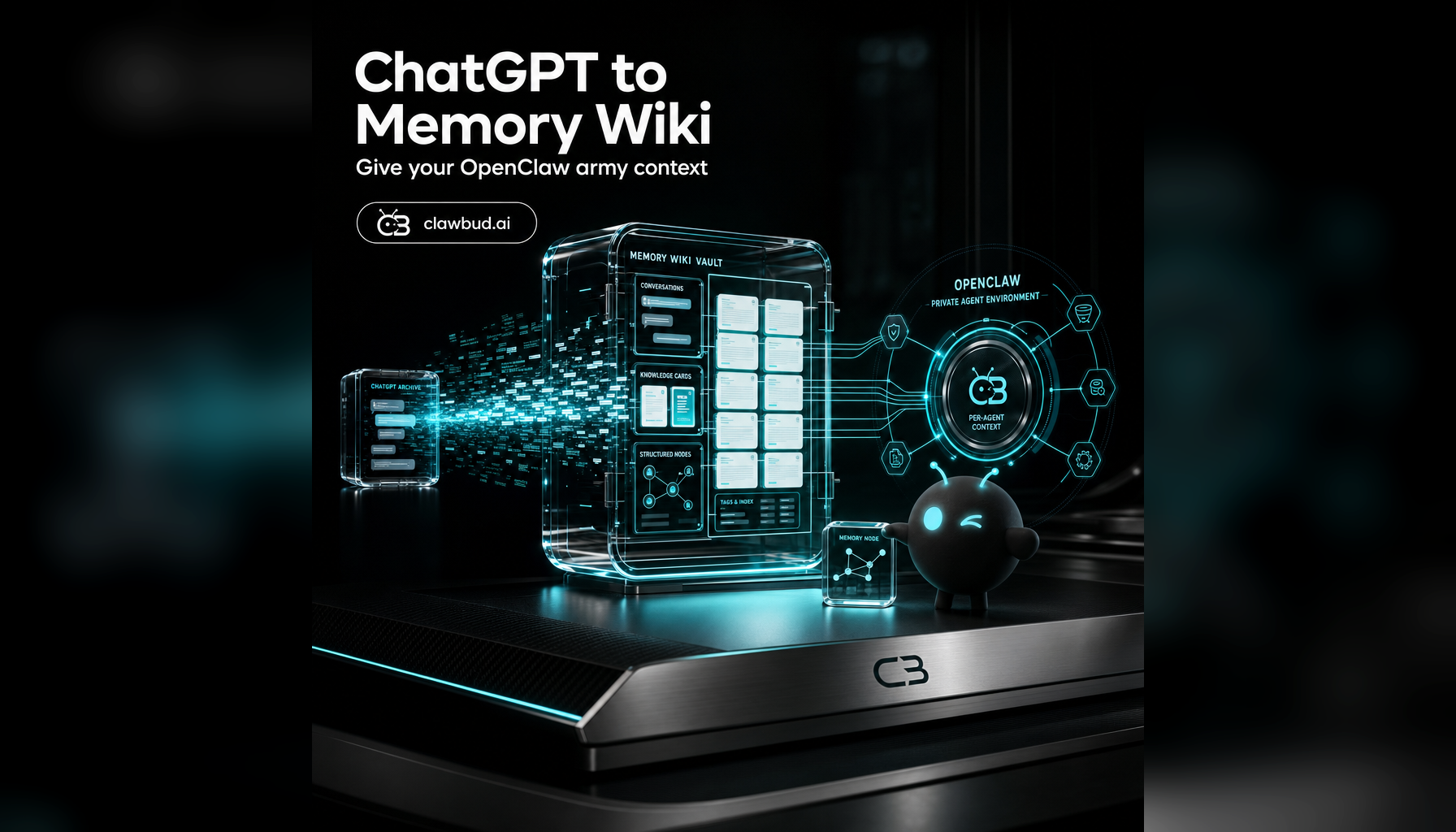
The feature takes your exported ChatGPT conversations and helps turn them into a Memory Wiki that your OpenClaw-powered agent army can use as working context. It is not magic memory dust. It is a structured bridge between past conversations and future autonomous work.
That distinction matters. A code agent or CLI can help you write, debug, or operate inside a terminal. An autonomous OpenClaw agent needs a deeper operating layer: goals, history, preferences, decisions, warnings, and reusable knowledge. Memory Wiki gives that layer a home.
The current application exposes ChatGPT import and Memory Wiki to signed-in users. Check the importer’s account status and displayed file limit before uploading. Review the selected material first and exclude credentials and unrelated personal records.
This guide explains what the feature does, who it is for, where it fits in the ClawBud platform, and how to use it without creating a noisy memory swamp.
Table of Contents
- What ChatGPT history import does
- Why Memory Wiki matters for an OpenClaw agent army
- Who this feature is for
- Tier and rollout status
- How the import fits into ClawBud's architecture
- What to import and what to leave out
- Three practical use cases
- Risks, boundaries, and review habits
- FAQs
- Start with ClawBud
What ChatGPT History Import Does
ChatGPT history import lets you take an exported ChatGPT archive and feed relevant conversations into ClawBud's Memory Wiki flow.
The result is not a single giant prompt. That would be fragile, expensive, and honestly a bad idea. The goal is to convert old conversation history into organized memory that your OpenClaw agent can reference over time.
Think of it as moving from loose chat logs to an internal knowledge layer.
A normal ChatGPT conversation is useful in the moment. A Memory Wiki page is useful again later. It can document decisions, preferences, processes, warnings, examples, and project context. When your OpenClaw agent works on a task next week, it should not need you to re-explain the same background for the tenth time.
ClawBud turns this into a product flow instead of asking you to become a self-hosting engineer. The import route lives alongside the Memory Wiki and Obsidian vault experience. You bring the export. ClawBud provides the dedicated computer, the OpenClaw runtime, the dashboard surface, and the agent environment around it.
ClawBud provides a private cloud computer per account. Agents in an account can share its VM, gateway, tools and provider credentials. Separate workspaces and conversations do not by themselves provide a security boundary. Additional managed isolation applies only where it is explicitly enabled.
Why Memory Wiki Matters for an OpenClaw Agent Army
Autonomous agents fail in a boring way when they lack memory. They ask the same questions. They forget naming rules. They miss context from last week's decision. They repeat old mistakes because nobody gave them a durable place to store what happened.
Memory Wiki is ClawBud's answer to that problem.
It gives your OpenClaw agent a structured memory layer instead of relying only on the active chat window. A good memory layer can hold:
- Brand rules and tone preferences
- Customer notes and support patterns
- Product decisions and why they were made
- Runbooks and repeatable processes
- Warnings about tools, limits, and approvals
- Research summaries your team keeps reusing
- Personal preferences for how work should be done
This is different from a code agent or CLI.
Claude Code, Codex, Gemini CLI, and OpenCode are code agents and command-line tools. They are excellent when you want work done in a codebase, terminal, or development workflow. They can write code, inspect files, run tests, and help with implementation.
An autonomous OpenClaw agent is broader. It can coordinate work, talk through channels, use tools, run scheduled routines, manage context, and act as part of an agent army. Hermes, NemoClaw, Goose, DeerFlow 2.0, Automaton, and Space Agent live closer to that autonomous side of the house. They need memory that survives beyond a single command.
The ChatGPT import helps seed that memory from the place many people already used as their first AI workspace.
Who This Feature Is For
This feature is especially useful if your ChatGPT account already contains business context.
It is for founders who used ChatGPT to shape their product, write sales copy, plan operations, or document customer conversations. It is for teams that tried prompts for support, marketing, recruiting, finance, or research and now want their OpenClaw agent to understand the work that came before.
It is also useful for power users moving from manual AI chats to autonomous agents. That migration can feel weird at first. You are moving from "I ask, it answers" to "my agent has a job, context, permissions, channels, and memory." Importing selected ChatGPT history can make that transition much smoother.
You probably do not need this feature if your ChatGPT history is mostly random one-off questions, jokes, recipes, or experiments you would never want an agent to use. In that case, start fresh. A clean Memory Wiki is better than a huge one full of junk.
The best users for this feature are selective. They know that long-term memory is valuable because it is curated, not because it is enormous.
Tier and Rollout Status
The current application’s import and Memory Wiki access checks accept signed-in users. Confirm availability through the account’s importer status before relying on a workflow.
The importer reads a maximum upload size from its status response. The server source defaults to 250 MiB and supports a configuration override; use the limit displayed in the current account. Check related vault installation separately.
The broader ClawBud tiers are:
Current ClawBud pricing:
- BYOK: $20 per month, for users who bring their own model API keys.
- Starter: $39 per month, for solo users who want server, agent, and AI included.
- Pro: $79 per month, for power users who need more models, WhatsApp, Discord, and Pro agents.
- Business: $169 per month, for teams that need more credits, more resources, and priority support.
If the importer is unavailable, inspect the status or ask support about that account. Do not infer a beta entitlement solely from a missing page or failed upload.
Preview the import and review proposed memory changes before applying them. Confirm the rollback path and retained source files for the selected import.
How the Import Fits Into ClawBud's Architecture
ClawBud assigns a private computer to the account. Standard agents share the VM, gateway, tools and provider credentials. Hermes is a separate runtime; confirm how any imported reference material is made available to it.
The ChatGPT import is one part of that environment.
At a high level, the flow looks like this:
- You export your ChatGPT data from ChatGPT.
- You choose the relevant archive for import.
- ClawBud processes the uploaded material through the Memory Wiki flow.
- Useful context becomes organized memory your OpenClaw agent can work with.
- Your agent can use that memory when answering, planning, writing, or coordinating future tasks.
Long-term context is not something you want casually mixed with other users' workloads. It belongs inside your own agent environment, under rules you understand.
What to Import and What to Leave Out
The best import is not the biggest import. It is the cleanest one.
Good candidates for import:
- Strategy conversations you still agree with
- Product specs and planning threads
- Brand voice decisions
- Sales objections and good replies
- Support answers you want reused
- Research summaries with sources or clear notes
- Operating rules you have repeated many times
- Personal preferences that affect how your agent should work
Poor candidates for import:
- Old experiments that were wrong
- Temporary brainstorming you no longer believe
- Sensitive secrets, tokens, or private credentials
- Medical, legal, or financial material you do not want in agent memory
- Personal conversations unrelated to work
- Duplicate threads where ChatGPT gave five versions of the same answer
- Anything you would be embarrassed to see used as context later
Ask whether the note is still accurate, relevant and authorized for the agents that will retrieve it. Preserve a source and review date for durable facts.
If the answer is no, leave it out.
Three Practical Use Cases
1. Founder Memory for Product and Marketing
Founders often use ChatGPT as a thinking partner before anything becomes official. The problem is that those decisions get scattered across dozens of chats.
With ChatGPT import, you can move the useful parts into Memory Wiki:
- Product positioning
- Competitor notes
- Pricing arguments
- Landing page drafts
- Customer segments
- Launch ideas
- Messaging that worked
Once that context is in memory, your OpenClaw agent can write with a better sense of the business. It can avoid old positioning mistakes. It can remember why a feature exists. It can draft support copy, social posts, or internal notes without making you repeat the backstory.
This is where the agent army idea becomes practical. The marketing agent, support agent, and research agent should not all need separate lectures about the same company.
2. Support Knowledge From Old Conversations
Many businesses used ChatGPT to draft support replies before they had a real AI operations setup.
Those old conversations can be useful if they contain:
- Common customer complaints
- Approved answers
- Refund policies
- Setup explanations
- Troubleshooting steps
- Tone rules for angry customers
- Things the agent must escalate instead of answering alone
Imported into Memory Wiki, that material can help your OpenClaw agent respond more consistently across channels like Telegram, WhatsApp, Discord, and Slack, depending on your tier and connected channels.
The boundary is important. Memory should guide the agent. It should not remove human approval from risky support actions. Refunds, account changes, billing, legal claims, and anything that affects a customer materially should still follow your approval rules.
3. Personal Operating System for Autonomous Work
Some users want an agent that knows the business and the way they work.
ChatGPT history can contain patterns like:
- How you prefer summaries
- Which tasks you delegate
- How you review drafts
- What you consider too risky
- What tools you trust
- How you name projects
- Which customers or partners need special care
That kind of memory helps an autonomous agent feel less like a blank interface and more like a trained operator.
This is especially useful when paired with scheduled routines and multi-agent work. If your agent is going to prepare reports, monitor tasks, draft follow-ups, or coordinate with other agents, it needs durable context. Memory Wiki is where that context can live.
Risks, Boundaries, and Review Habits
Memory is powerful because it persists. That is also the risk.
A bad prompt in a normal chat is annoying. Bad long-term memory can keep causing problems. It can bias future answers, preserve outdated assumptions, or make the agent sound confident about things you no longer believe.
Use these rules before and after import:
- Start with work-related material. Do not import your whole personal ChatGPT life just because you can.
- Remove secrets. API keys, passwords, recovery codes, customer private data, and financial details do not belong in memory.
- Prefer summaries over raw sprawl. A clean decision note beats a 40-message brainstorm.
- Label uncertainty. If something was only an idea, mark it as an idea. Do not let drafts become policy by accident.
- Review after import. Skim the resulting memory. Delete or rewrite anything that feels wrong.
- Keep approvals for risky actions. Memory can inform work, but payments, account changes, and destructive operations still need clear boundaries.
- Refresh old material. A 2024 strategy conversation may be outdated in 2026. Old context should earn its place.
The goal is not to make your OpenClaw agent remember everything. It is to make it remember what matters.
FAQs
Is ChatGPT history import available to every ClawBud customer?
The current application access checks accept signed-in users. Confirm importer availability and its account status before uploading; source access logic does not establish that an import has completed successfully.
What is the upload limit?
Check the importer’s displayed limit. The server source defaults to 250 MiB and allows configuration to override it.
Does this replace ChatGPT?
No. It helps move useful history from ChatGPT into ClawBud's Memory Wiki so your OpenClaw agent army can use it as durable context.
Is this the same as connecting Codex or ChatGPT subscription auth?
No. Codex and ChatGPT subscription auth are about using a model or code agent through an authenticated subscription path. ChatGPT history import is about turning past conversations into memory.
Will the agent automatically trust everything I import?
It should not. You should curate and review memory. Treat imported material as context, not unquestionable truth.
Can I import personal conversations?
Technically, the import handles exported ChatGPT history, but you should be selective. Personal, sensitive, or irrelevant conversations usually make agent memory worse.
Where does this fit with code agents like Claude Code or OpenCode?
Code agents and CLIs help execute development work. Memory Wiki gives the broader OpenClaw agent environment long-term context that can guide coding, writing, support, research, and operations.
Why does ClawBud need a dedicated computer for this?
The import needs storage and a runtime that can process and retain the selected material. ClawBud uses an account-level computer. Review storage access, retention and rollback; a separate standard-agent workspace is not a separate host boundary.
What should I do first after importing?
Review the generated memory. Delete weak notes, rewrite unclear ones, and mark outdated ideas before relying on the agent for real work.
Start With ClawBud
If your ChatGPT history already contains months of business thinking, do not let it stay buried in a chat archive.
Start with ClawBud at clawbud.ai, then turn your useful past conversations into memory your agents can actually use.