ClawBud vs Sintra: Roles, Shared Knowledge and Tool Access
· ClawBud editorial team
ClawBud and Sintra approach business agents from different starting points. Sintra combines business-role assistants with shared knowledge, connected apps and scheduled work. ClawBud manages an account environment for supported agent runtimes, including OpenClaw. Start with the work you need to delegate, who can use its connections and where its output must be saved.
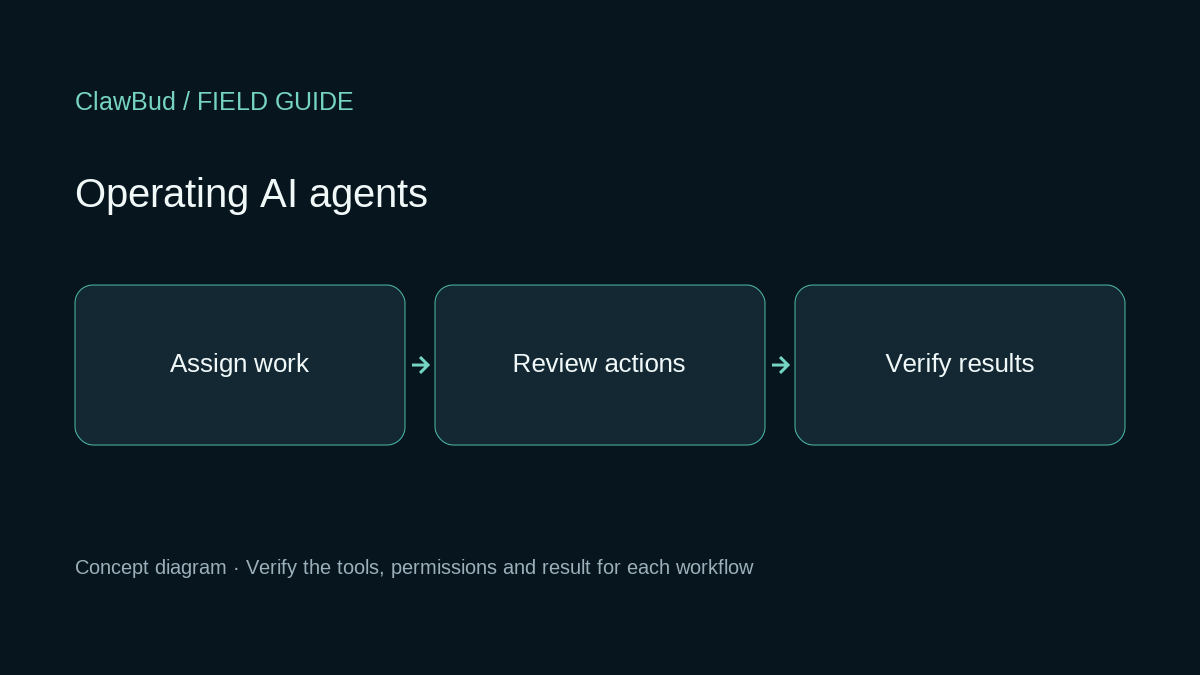
This comparison was reviewed on November 15, 2026 using current primary documentation and ClawBud's repository-backed product scope. We did not buy a Sintra plan, connect a customer account or run a comparative task. ClawBud is operated by AI Buddy; this is our own comparison. The image is a concept diagram of agent work, not a product screenshot or measured result.
Sintra includes custom roles and team coordination
Sintra's product overview describes custom assistants with rules and skills alongside its built-in business roles. It also describes a Team Leader coordinating specialists in Team Chat, currently a beta feature on workspace plans. Confirm which features are enabled in the workspace you intend to use.
For a business owner who wants to start with a copywriting or social-media role, that packaged workflow may be useful. During a demonstration, ask the assistant to revise a real draft with supplied brand rules. Record which instruction changed and whether the saved revision reached the intended destination. A role name alone says little about the handoff your staff will actually review.
ClawBud's managed environment is relevant when the choice of supported runtime and its operating environment matters to your workflow. Check the runtime, installed tools and account configuration you will receive. A named role does not establish that a particular integration or autonomous handoff has been configured.
Shared knowledge has an access boundary
Sintra's workspace guide distinguishes shared Brain AI and shared business integrations from each member's private chats and personal email/calendar connections. It says Brain AI files cannot currently be marked private within a team workspace. Inviting someone therefore needs a review of the knowledge already stored there.
Consider an agency preparing campaigns for two invented clients, North Studio and Harbor Workshop. Their price lists and publishing accounts should be assigned deliberately. Before uploading a confidential brief, identify everyone who can read it and the account that can publish its contents. Keep a public brand guide separate from material that only one reviewer should see.
Standard ClawBud named agents have separate identities, workspaces, memory files and sessions, while sharing the account VM, gateway, host tools and provider credentials. A separate agent name is not a separate infrastructure boundary. Managed isolation controls are restricted to approved accounts and currently exposed through the customer API; they are not a standard promise for every agent. Ask for the exact access configuration if client material must be separated.
Check the action your connection permits
Sintra's integration guide documents connections that can read external data and perform actions, including email and publishing. The same guide states that Sintra does not provide a public API. If your application must start jobs through code, confirm the supported interface before selecting a product; a connected-app catalog does not answer that requirement.
ClawBud has an account-scoped Agent API for managing and messaging supported OpenClaw agents. Integration setup and destination permissions still need separate verification. Being able to address an agent does not give it permission to update a CRM record or publish to a company's page.
For either option, write down the connected identity, allowed action and destination. Demonstrate saving a draft before granting publication access. Then inspect the result while signed into the destination as its owner. If the account selection changes, repeat that check instead of relying on an earlier successful connection.
Scheduled work needs a specific review step
Sintra's scheduled-task documentation says tasks execute their configured instructions, including sending an email or creating an event. Do not assume a fresh approval appears before each run. Its limitations also distinguish supported integration actions from work requiring manual handling, and say external archiving needs a designed workflow.
If the requirement is a campaign draft every Monday, specify a draft destination and a reviewer. Treat the later publishing step as a separate requirement to demonstrate. On ClawBud, verify the selected runtime's actual schedule, approval behavior and output location too. Managed hosting alone does not establish an enforced review gate. Our permissions guide helps define those boundaries.
Compare the cost of the workspace you need
Sintra's workspace documentation assigns a plan and credit pool to each workspace, with team members sharing that pool. Its pricing guide separates the subscription term paid upfront from the monthly credit reset. A monthly equivalent for a longer term is not a month-to-month payment.
For an agency, request a quote for the actual client workspaces, usage and billing channel. Check current promotions, taxes and renewal terms at checkout. For ClawBud, check the current plan, model usage and any external-service charges. We do not quote numerical prices here or declare a cheaper winner without a workload and current account-specific offers.
A proposed campaign handoff to try before buying
The following agency-brand-001 exercise is invented and has not been run. Prepare two synthetic brand briefs with different product names and prices, one draft-only destination, and a reviewer identity. Use the same files and expected output on each shortlisted configuration.
- Ask for a campaign draft for North Studio. Check every product and price against that client's supplied brief.
- Ask a second role to revise its tone. Check that the revision keeps the same client, destination and factual source.
- Make a required source unavailable. Inspect whether the output identifies the missing material and waits for a decision.
- Request a scheduled draft with publication withheld. Inspect the saved destination and demonstrate how the reviewer authorizes, rejects or stops the next action.
Leave observed results, evidence links, charges and reviewer decisions blank until an authorized evaluation is performed. Count manual corrections and any unintended writes as part of that evaluation. Our pre-production testing guide provides a longer review procedure.
Shortlist Sintra when its documented role-based workflow, shared business knowledge and connected apps match the work. Shortlist ClawBud when operating supported runtimes in a managed account environment is central to your requirements. For either choice, ask to see the exact client context, connected identity, saved draft and review step before granting real publishing access.