The Cloud-Native Agent Army Stack: OpenClaw, Hermes, Browser, Memory, and Firewall
· ClawBud editorial team
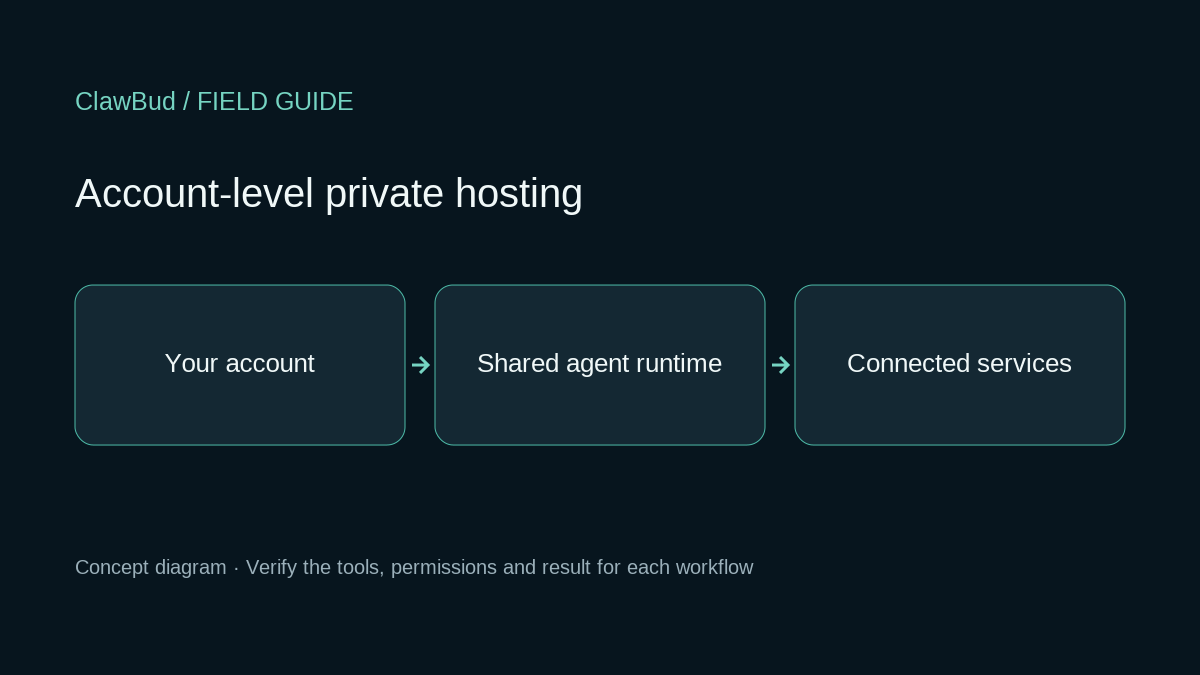
ClawBud provides a private cloud computer per account. Agents in an account can share its VM, gateway, tools and provider credentials. Separate workspaces and conversations do not by themselves provide a security boundary. Additional managed isolation applies only where it is explicitly enabled.
Most teams are still buying the wrong thing.
They think they need another chatbot. Maybe a code agent. Maybe a clever CLI that can edit files and open pull requests. Those tools are useful, but they are not an operating model for autonomous work.
A code agent lives inside a narrow lane. It writes, edits, runs commands, and helps a developer move faster. A cloud-native agent army needs a wider base: browser access, memory, integrations, orchestration, controlled permissions, and real boundaries. It needs a full computer, not a shared container pretending to be one.
That is the shift ClawBud is built around.
ClawBud runs managed OpenClaw on your own private cloud computer, then turns it into a ready Agentic OS with OpenClaw, Hermes Agent, Codex, Claude Code, Nemo Claw, Automaton, DeerFlow, Space Agent, browser control, integrations, skills, MCP, Business Room, CRM, and premium support.
What a cloud-native agent army actually means
A cloud-native agent army is a group of autonomous agents running in the cloud, with the tools and boundaries they need to complete real work without sitting inside your laptop.
Execution location is one design choice. A local runtime depends on the local machine; a cloud runtime depends on its host and connected services. Check the task’s tools, persistence and permissions before choosing either.
Most businesses do not want to become infrastructure operators. They want the army ready.
Why code agents are not enough
Code agents and CLIs are good at code-shaped tasks.
Codex, Claude Code, and similar tools can inspect a repo, make changes, run tests, and explain what broke. They are powerful inside the development loop. They are less useful when the job is broader than code.
Real business work often means reading a customer message, checking a browser dashboard, comparing CRM and email context, writing a response, triggering a workflow, and saving the result to memory.
That is not a CLI problem. That is an Agentic OS problem.
ClawBud does not replace code agents. It puts them in the right place. Codex and Claude Code can be part of the army, while OpenClaw and Hermes handle broader autonomous workflows. Business Room gives the human a place to direct the work instead of babysitting a terminal.
A code agent helps a developer. A cloud-native agent army helps the business run.
The full computer advantage
Compare the environment's resource limits, persistent state, browser support and operating responsibilities with the workflow.
The account computer holds the runtime and supported working files. Verify the selected CPU, memory and storage limits with a representative task rather than inferring performance from the hosting label.
Autonomy needs persistence. If an agent has to restart from zero every time, it becomes a fancy form. Browser work also needs continuity: cookies, sessions, tabs, downloads, screenshots, and human takeover when needed.
Business trust needs separation too. A company should not wonder where its agent runs or whether its work is mixed with another customer's environment. Serious autonomous work belongs on a private cloud computer.
Check the account and agent boundaries
Autonomy without boundaries is not maturity. It is risk with better branding.
A cloud-native agent army needs permissions that match the work. A support agent should not have the same network access as a code agent. A browser agent should not roam freely just because it can click buttons.
Review the enabled account network rules and tool permissions before connecting business systems.
Ask which access controls the selected configuration enforces. Prompts alone do not restrict a process's file, network or credential access.
Where Hermes fits in the army
Hermes Agent is becoming one of the most useful pieces in the ClawBud model because it fits the messy middle of business work.
OpenClaw is the agent framework. Codex and Claude Code are strong code agents. Hermes is the operator you want when the work touches browser tasks, web workflows, tools, messages, and step-by-step execution.
In ClawBud, Hermes can sit alongside OpenClaw, Space Agent, Codex, Claude Code, Nemo Claw, Automaton, and DeerFlow. The business needs the right agent for the job, on the same managed Agentic OS.
That is the bigger idea behind ClawBud: not one assistant trying to fake every role, but a cloud-native agent army where specialized agents can work from the same private cloud computer, under clear boundaries, with the human still in command.
The stack ClawBud gives you in one click
The practical value of ClawBud is that the hard parts arrive already connected.
ClawBud provides a managed account computer. Check the plan, supported runtime, browser path, integration permissions and skill installation requirements for the workflow. A catalog entry does not establish an authenticated working connection.
And yes, you get one-click setup.
That matters because installation friction kills adoption. If a team has to rent infrastructure, configure networking, install OpenClaw, connect channels, debug browser dependencies, and then teach everyone how to use it, the agent project dies early.
ClawBud compresses that mess into a product flow.
Start the computer. Open the Agentic OS. Connect the tools. Put the army to work.
Start with ClawBud
The next phase of AI work will not be one assistant answering questions in a tab.
It will be agent armies: OpenClaw for the core, Hermes for web and tool work, code agents for repositories, browser agents for real online tasks, memory for continuity, integrations for reach, and configured access controls for control.
ClawBud packages that into a managed Agentic OS on your own private cloud computer.
Start at clawbud.ai, explore ClawBud pricing, and read more on the ClawBud blog. If you want an OpenClaw agent army without becoming the infrastructure team, this is the cleanest path.
FAQs
Is ClawBud the same as a chatbot?
ClawBud hosts OpenClaw for tool-driven work on the account computer. Capabilities depend on installed tools, credentials and permissions; a chat interface alone does not determine whether a product can act.
Why does ClawBud use a full computer instead of a shared container?
A private computer supplies an account-level guest environment. Dedicated and shared services still require a review of resource allocation, credentials, network policy and recovery.
Where does OpenClaw fit in ClawBud?
OpenClaw is the core agent framework inside ClawBud. ClawBud manages the setup, private cloud computer, integrations, browser capability, support layer, orchestration, and account-level hosting boundary around OpenClaw.
How is Hermes different from Codex or Claude Code?
Codex and Claude Code are strongest inside software development workflows. Hermes is better positioned for broader web and tool work, especially when paired with OpenClaw, browser access, messages, integrations, and business workflows.
What does the dedicated firewall do?
Review the configured host network policy, tool permissions and connected-service credentials separately. An agent name or workspace does not create its own firewall.
Do I need technical knowledge to start?
No. ClawBud is designed for one-click setup. You do not need to install OpenClaw manually, configure server packages, or manage the underlying cloud computer yourself.