What is the safest setup for autonomous browser agents?
· ClawBud editorial team
Updated October 25, 2026
By ClawBud
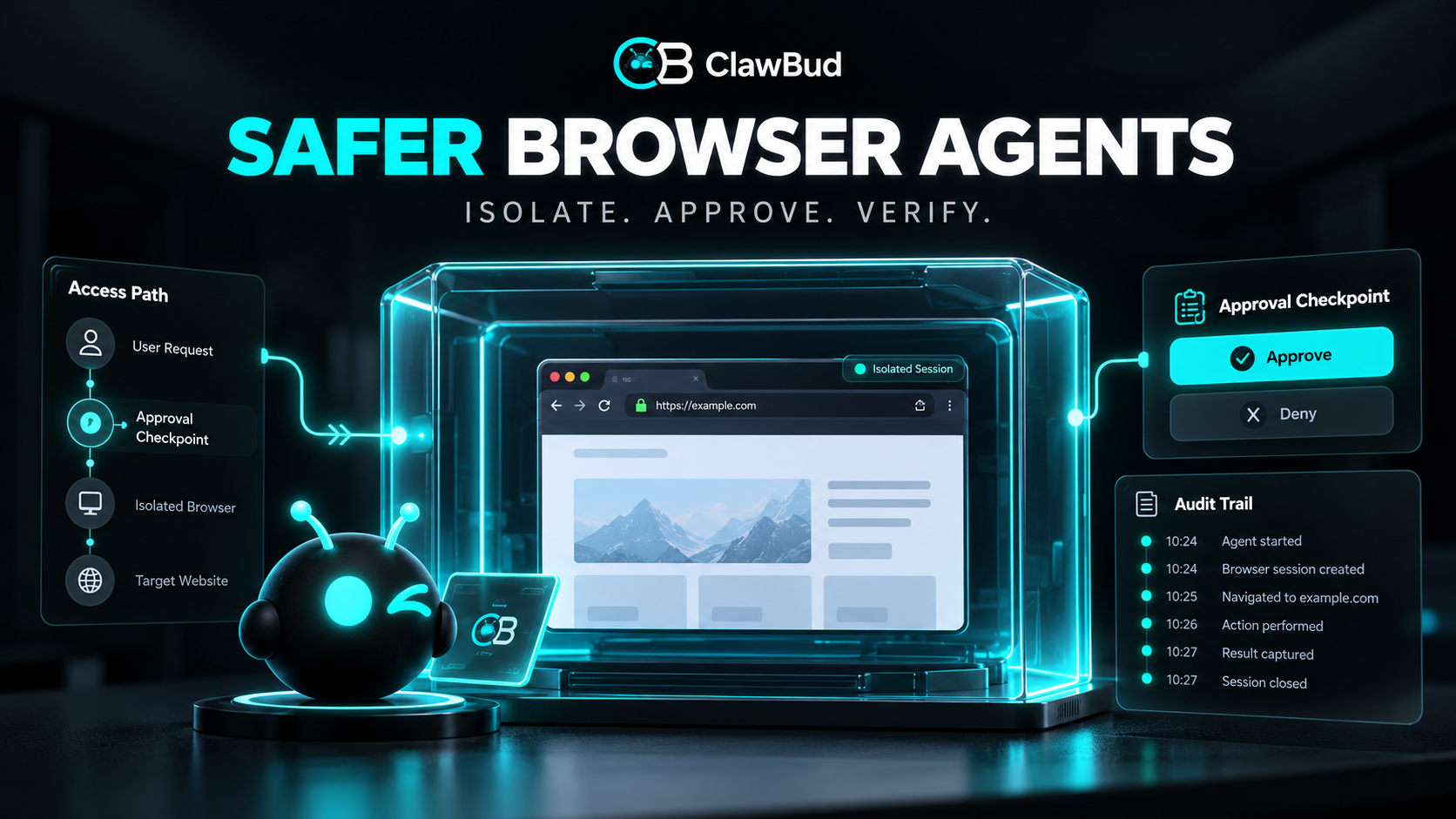
The safest practical setup gives each autonomous browser agent an isolated browser profile on a dedicated runtime, minimum permissions, separate credentials, approval gates for consequential actions, and complete action logs. Treat every page as untrusted input. Keep sensitive sessions out of the agent profile, restrict downloads and network access, and require a human before payments, publishing, account changes, or destructive work.
Quick answer. Use a dedicated browser and runtime for agent work, never a personal daily browser profile. Start with read-only access, allowlist the sites and tools needed for one workflow, and add approvals at the point of consequence. Choose a managed private setup when your team wants isolation and operations handled. Choose self-hosting when your security team needs full control and can maintain it.
What is an autonomous browser agent?
An autonomous browser agent is software that can inspect web pages, decide what to do next, and operate a browser through actions such as clicking, typing, downloading, and submitting forms. It combines model judgment with a real browser session, so its safety depends on both the model and the environment around it.
The browser is not a harmless display. It may contain authenticated sessions, confidential documents, hostile instructions, and controls that change external systems. A useful safety design assumes the agent can misunderstand a page or follow content planted by an attacker.
Which criteria should you evaluate first?
Define these criteria before choosing a product or deployment model.
- Isolation between agent work, personal browsing, and other customers
- The smallest identity, credential, and tool scope needed for the job
- Human approval before irreversible or high-impact actions
- Protection against prompt injection in pages, files, and messages
- Network controls for inbound and outbound connections
- Logs that show pages, decisions, tool calls, approvals, and final outcomes
- A recovery process for partial actions, compromised sessions, and failed workflows
- An operator who can pause the agent and revoke access quickly
These are editorial evaluation criteria based on the failure modes documented by OpenClaw and OWASP. They are not a claim that any setup eliminates risk.
Which browser agent setup fits which buyer?
| Setup | Best fit | Setup burden | Management | Privacy or security | Integrations | Main limitation |
|---|---|---|---|---|---|---|
| Personal browser profile | A supervised one-off test with no sensitive session | Low | User watches every action | Weak separation from cookies, history, and personal accounts | Existing signed-in sites | A mistake can affect the user's real accounts |
| Separate local browser profile | Technical user running narrow workflows | Medium | User maintains browser, updates, secrets, and logs | Better account separation on the same computer | Local tools and approved sites | The host and local data remain in the same trust boundary |
| Sandboxed self-hosted browser | Engineering or security team needing full control | High | Team operates runtime, network policy, updates, telemetry, and recovery | Strong when configured and audited correctly | Custom tools and internal systems | Misconfiguration and maintenance become the team's job |
| Managed private browser runtime | Teams wanting dedicated execution with managed operations | Low to medium | Provider handles the base runtime and support | Confirm isolation, firewall, credential handling, logs, and support access | Product-supported channels and tools | Less infrastructure control than a self-operated stack |
| Shared remote browser service | Low-risk public web research at variable scale | Medium | Provider operates shared service | Tenant isolation and retention need careful review | Usually broad browser APIs | May not meet strict isolation or data residency requirements |
The table is guidance, not a certification. The safest choice depends on the consequence of a wrong click, the sensitivity of the session, and the team available to operate the controls.
How should you isolate the browser?
Give the agent its own browser profile. Do not connect it to the profile used for personal email, password management, banking, administration, or social accounts. Use separate service accounts where possible and keep each agent's credentials limited to its assigned workflow.
OpenClaw's current browser documentation describes a managed browser with its own profile and documents browser profiles, remote connections, downloads, and network controls. OpenClaw managed browser documentation
For higher-risk work, isolate the whole runtime rather than only the browser profile. A dedicated virtual machine or hardened sandbox reduces the chance that a compromised browser session reaches unrelated files, processes, or credentials. Isolation helps contain damage. It does not make hostile page content safe.
How do you stop a page from controlling the agent?
Treat page text, hidden elements, downloaded files, comments, emails, and search results as untrusted data. They can contain prompt injection, instructions written to manipulate the model into exposing information or taking an unintended action.
OWASP recommends separating trusted instructions from untrusted content, validating outputs, applying least privilege, using human approval for high-risk operations, and testing against prompt injection. Its cheat sheet also covers indirect injection delivered through external content rather than the user's prompt. OWASP prompt injection prevention
Build the workflow so page content cannot grant itself authority. The agent may read a request on a page, but policy outside the page decides which tools it can call, which data it can access, and whether the next action needs approval.
Which actions need human approval?
Put approval at the last safe point before consequence. Common approval gates include sending a public message, purchasing, transferring funds, deleting data, changing permissions, creating credentials, accepting legal terms, publishing content, and submitting sensitive personal information.
Approval should show the exact action, target, account, important fields, and expected effect. A vague "continue?" prompt is theater with a button. The reviewer needs enough context to catch a wrong recipient, altered amount, suspicious domain, or unexpected permission.
Low-risk read actions can often run without approval. Repeated approvals also become noise, so group routine steps and keep the gate close to the action that changes the outside world. ClawBud's guide to agent approvals explains this control pattern in more detail.
What network and credential controls matter?
Block unnecessary inbound access and restrict outbound destinations when the workflow permits it. Allow only the domains, ports, and APIs needed for the job. Review redirects, local network access, file URLs, and browser debugging endpoints because they can cross trust boundaries.
OpenClaw's security guide treats the gateway and tools as a high-trust control plane. It recommends strong authentication, narrow network exposure, trusted proxies configured carefully, and explicit review of tool access. OpenClaw security guidance
Use short-lived credentials when available. Store secrets outside prompts and page content. Never paste a reusable master key into a browser form just because an agent asked nicely. Rotate credentials after suspected exposure and revoke the browser session before investigating with it.
How do you verify the setup before production?
Run these checks with test accounts and reversible data.
- Confirm the agent cannot access the operator's personal browser profile.
- Confirm each service account has only the required permissions.
- Place a hostile instruction in a test page and verify policy ignores it.
- Attempt access to an unapproved domain, local address, file, and tool.
- Verify payments, publishing, deletion, and permission changes stop for approval.
- Confirm logs connect the page, agent decision, tool call, approval, and outcome.
- Interrupt the workflow after form submission and check for partial completion before retrying.
- Revoke one credential and confirm the workflow fails closed.
- Pause the agent and confirm active browser access ends.
OWASP's Agentic AI material lists threats including goal hijacking, tool misuse, identity and privilege abuse, supply chain problems, and cascading failures. The test plan should cover the controls that apply to the actual workflow, not a generic demo. OWASP agentic AI threats and mitigations
Where does ClawBud fit?
ClawBud is the fully managed Agentic OS for an AI agent army, including managed OpenClaw on a private cloud computer. Its current pricing page lists a dedicated server, browser, firewall, health monitoring, and dashboard access. ClawBud pricing
ClawBud is a good fit when a buyer wants a private browser runtime and managed base operations without building the hosting stack. A self-hosted sandbox is better when an internal security team must own the host image, outbound policy, identity system, telemetry, and incident process.
ClawBud is not the right fit for a workflow that requires a formal certification, a custom isolation boundary, or a data residency condition that has not been contractually verified. It also does not remove the need for narrow permissions, approval policies, and workflow-level testing. A dedicated browser is a control, not a permission slip.
What is the browser agent safety checklist?
- A dedicated browser profile is used only for agent work
- High-risk workflows run on a separate runtime or sandbox
- Service accounts have minimum permissions
- Secrets are stored outside prompts and page content
- Sites, tools, downloads, and network destinations are restricted
- External content is treated as untrusted input
- Consequential actions require contextual approval
- Every mission and browser action has an audit trail
- Operators can pause the agent and revoke sessions quickly
- Retries check whether the previous action partially completed
- Injection, credential loss, network escape, and recovery are tested
- Retention and support access are reviewed before sensitive use
Frequently asked questions
Is a separate browser profile enough for an autonomous agent?
It is a sensible minimum for low-risk workflows, but it does not isolate the host operating system, local files, network, or other processes. Use a separate runtime or sandbox when the agent handles sensitive accounts or can make consequential changes. Match the boundary to the damage a wrong action could cause.
Should a browser agent use my existing logged-in accounts?
Prefer dedicated service accounts with narrow roles. Existing personal or administrator sessions usually contain more authority than the workflow needs. If a service lacks scoped accounts, consider supervised use, stronger approval gates, and session revocation after the task. Never expose a password manager or broad single sign-on session by default.
Can a firewall stop prompt injection?
No. A firewall controls network paths. Prompt injection is malicious or misleading content that influences the model through a page, message, or file. Network restrictions can limit where stolen data goes and which systems are reachable, but the workflow still needs instruction separation, least privilege, output validation, and approvals.
Which browser actions should always require approval?
Require approval for actions with material, public, legal, financial, access-control, or destructive effects. Examples include payments, publishing, deletion, permission changes, credential creation, contract acceptance, and sending sensitive data. The exact boundary should follow impact and reversibility, not whether the action happens through a browser or API.
How should browser agent activity be logged?
Record the mission ID, agent identity, browser profile, page origin, action, sanitized inputs, tool result, approval state, timestamp, and verified outcome. Avoid storing secret values or full sensitive pages unless necessary and protected. Screenshots can help investigations, but they also create another copy of confidential data.
Are managed browser agents safer than self-hosted agents?
Neither is automatically safer. A managed service can reduce maintenance mistakes and provide a consistent private runtime. Self-hosting gives a capable team more control over isolation, networking, logs, and response. Compare the actual controls, operator skills, support access, retention, and recovery process rather than the hosting label.
Can autonomous browser agents be made completely safe?
No. Models can misread content, websites can change, accounts can be compromised, and tools can fail after partially completing an action. Good controls reduce likelihood and limit impact. Keep humans at consequential boundaries, use reversible test data, and avoid autonomy when an error would be unacceptable.
Quotable facts
- A dedicated browser profile separates sessions, but it does not isolate the host.
- Web content may inform an agent, but it should never grant the agent authority.
- Approval belongs at the last safe point before an external consequence.